
Traffic Court Records in San Augustine County
San Augustine County traffic records are split by issuing court. A justice citation belongs to one of four justice precincts and is searched through the county-linked GovRec application. A City of San Augustine municipal citation belongs to Municipal Court at City Hall. Ordinary district or county criminal files may contain a traffic-related prosecution, but they are not the same record as a JP citation balance.
A traffic docket can show the citation or cause number, defendant, offense date, status, amount due, court setting, plea, disposition, judgment, and payment events. GovRec gives a short payment and status view. The issuing clerk holds the official case file and can provide a disposition or authenticated judgment when needed.
Four San Augustine Traffic Record Filters
GovRec offers separate criminal and civil applications for each San Augustine County justice precinct. A citation search must use the precinct printed on the ticket. Precinct 1 uses TX203033J, Precinct 2 uses TX2030A3J, Precinct 3 uses TX203053J, and Precinct 4 uses TX203063J. The ORI identifies a court route, not the citation itself.
All four justice offices are grouped at the El Camino Justice Center. The office phone is 936-275-3552, and the posted counter hours are Monday through Thursday from 7:00 a.m. to 4:30 p.m. Use that contact when the precinct or record is unclear.
How to Look Up a Traffic Ticket
For a JP citation, open San Augustine County GovRec, select the correct precinct, choose Citation mode, and enter the required citation number. The other criminal mode requires first name, last name, and date of birth. A hidden optional driver-license field exists in the configuration but is not a public visible search field and should not be used as the stated route.
- Read the ticket for the issuing court, precinct, and citation number.
- For a JP ticket, select the matching GovRec precinct and Citation mode.
- Without the ticket, use the visible criminal name and birth-date fields.
- For a city ticket, call or visit Municipal Court because no city docket search was found.
- If a JP result is missing, call or visit the Justice Center counter.
- Confirm the appearance date, options, balance, and any deadline directly with the court.
| Search Mode | Required Fields | Use |
|---|---|---|
| Citation | Citation number | Known JP ticket in the selected precinct |
| Name and DOB | First name, last name, DOB | JP criminal search without the citation in hand |
| City court contact | Name and citation details | City of San Augustine municipal ticket |
San Augustine Municipal Traffic Records
The City of San Augustine Municipal Court is at City Hall, 301 S Harrison Street, and can be reached at 936-275-2121. Court hours are posted for Monday and Tuesday, 8:00 a.m. to 5:00 p.m., with a noon to 1:00 p.m. lunch closure in the judge profile. The city does not publish a public docket search.
The city allows citation payments by check, money order, debit or credit card, and its “Pay Other Items” channel. That payment screen lists citations as a category and warns of transaction fees. It is not a ticket lookup. Contact the court and satisfy its requirements before sending payment.
The manifest capture of the San Augustine County Justice Courts page shows the official county route for justice-court traffic matters.
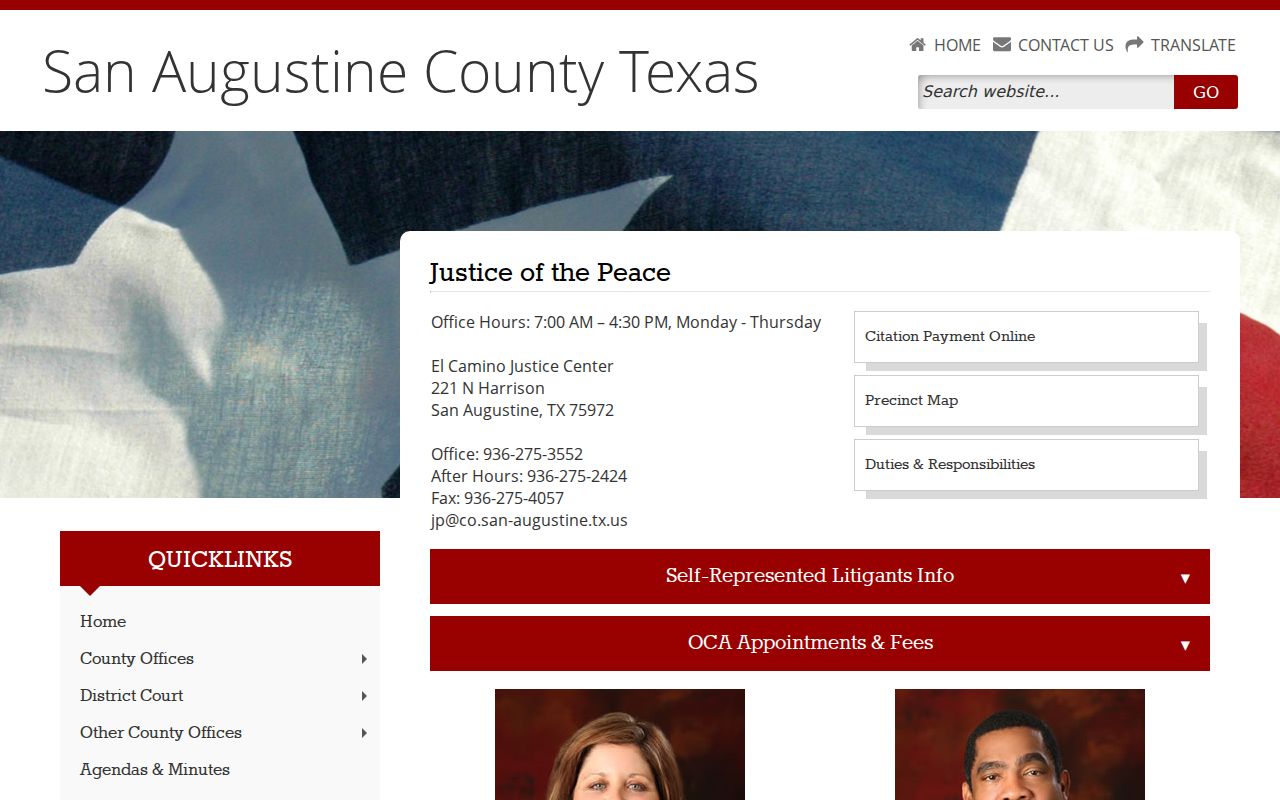
Its court contacts and GovRec link keep a county JP citation distinct from a City of San Augustine municipal citation.
Finding Your Traffic Court Date
Start with the appearance information printed on the citation, then confirm it with the issuing court. GovRec may show status and case details, but the research found no countywide traffic calendar or deadline chart. A reset or continuance moves a setting; the earlier event may remain on the docket. Verify the current setting before travel.
| Citation Number | Use the exact number printed on the ticket; no countywide format was published. |
|---|---|
| Court | The named municipal court or one of four JP precincts. |
| Date and Time | The current appearance or hearing setting, confirmed by the court. |
| Location | City Hall or the El Camino Justice Center as the issuing court directs. |
| Status | A portal label that should be checked against the court record. |
When San Augustine Traffic Records Are Missing
First check the court and precinct. GovRec's inspected preferences do not display closed cases by default, so an older citation can vanish from a public search without being sealed. A data delay, spelling mismatch, wrong precinct, or captcha failure can also produce no result.
Call the JP office for a county citation or Municipal Court for a city citation. Give the exact citation number, name, offense date, and issuing agency shown on the ticket. Ask for the present appearance date and case status. Do not rely on a blank screen or an online balance alone.
Paying or Contesting a Ticket
Payment acts through the court's financial channel. It is not a full docket lookup and should not be described as proof of the final disposition. A person who wants to contest the charge, request a hearing, or ask about a permissible disposition must contact the issuing JP or Municipal Court with the citation number. No unified local eligibility or deadline chart was published.
| Paying the Ticket | Contesting the Ticket |
|---|---|
| Uses the court's payment channel after terms are confirmed | Requires contact with the issuing court for plea and setting instructions |
| Deadline must be confirmed from the citation and court | Response deadline must be confirmed with the same court |
| GovRec for eligible JP balances; city methods include mail, card, or online | Use the JP or Municipal Court instructions, not a payment screen |
Missed date or deadline: Contact the issuing court at once. Local sources did not publish a single failure-to-appear consequence chart, so do not guess at fees, warrants, or clearance steps.
San Augustine Traffic Payment Records
An amount due is one field in a court record. It does not by itself identify a plea, signed judgment, contest request, or completed disposition. For proof of outcome, ask the issuing clerk for the citation, disposition, and judgment as separate items.
GovRec can display a detail or payment control when a balance exists. The city payment page can accept funds in several categories. In both systems, save the confirmation, then check the court docket or clerk file for the resulting entry. A card convenience fee is distinct from a fine, court cost, or copy charge.
Court Traffic Record vs Driver Record
These are two different files with different custodians. The justice or municipal clerk keeps the court case record for the citation. The Texas Department of Public Safety maintains the separate licensing and driver-history product. San Augustine County court staff can provide court records, but the county docket is not the state driver file.
| Court Traffic Record | Driver Record | |
|---|---|---|
| Kept By | Issuing JP or Municipal Court clerk | Texas Department of Public Safety |
| Shows | Citation, settings, plea, disposition, judgment, fees, and payment status | The separate state licensing and driver-history record |
| How to Get It | GovRec, court contact, or clerk copy request | Through the state custodian, not the county court portal |
San Augustine Traffic Record Judgments
A status label may be short, delayed, or unclear. When the outcome matters for resolving one's own case, request the signed judgment or disposition from the issuing clerk. Include the citation number, cause number if assigned, court, name, and event date. Ask for a certified copy only when authentication is required.
For a JP record, use the Justice Center phone or counter. For a municipal record, use City Hall. Neither office publishes a traffic-specific copy schedule in the sources reviewed, so request a quote and delivery options before sending payment. The broader San Augustine County court records page explains the documented county fee starting points.
Fees and Copies
No San Augustine County traffic-copy fee sheet was located. The County Clerk's broader published schedule gives copy and certification starting points, but it is titled for real-property and vital records and is not a promise for JP or municipal traffic files. Confirm the issuing clerk's current charge, accepted payment, and turnaround.
| Item | Fee | Notes |
|---|---|---|
| Traffic case copy | Confirm with issuing court | No local traffic-copy rate was published. |
| Certified traffic judgment | Confirm with issuing clerk | Ask whether that office can certify the item. |
| GovRec or city card payment | Convenience fee applies | Exact amount was not posted in the inspected source. |
| County Clerk published reference | $1/page; $5 certification | Not confirmed for JP or city traffic records. |
San Augustine Traffic Record Checklist
Keep the route narrow. A citation is easiest to resolve when the court, identifier, and current response choice are all confirmed together.
- Read the issuing court and precinct from the ticket.
- Use GovRec only for the matching county JP citation.
- Call Municipal Court for a City of San Augustine citation.
- Record the citation and cause numbers plus the current setting.
- Ask the court about payment, contest, deadline, and any missed-date consequence.
- Request the disposition or judgment when proof of outcome is needed.
For a setting tied to another court file, compare the citation record with the San Augustine County court calendar routes and confirm the date with the named clerk or coordinator.